Kollega: the portal helper that builds widgets for you
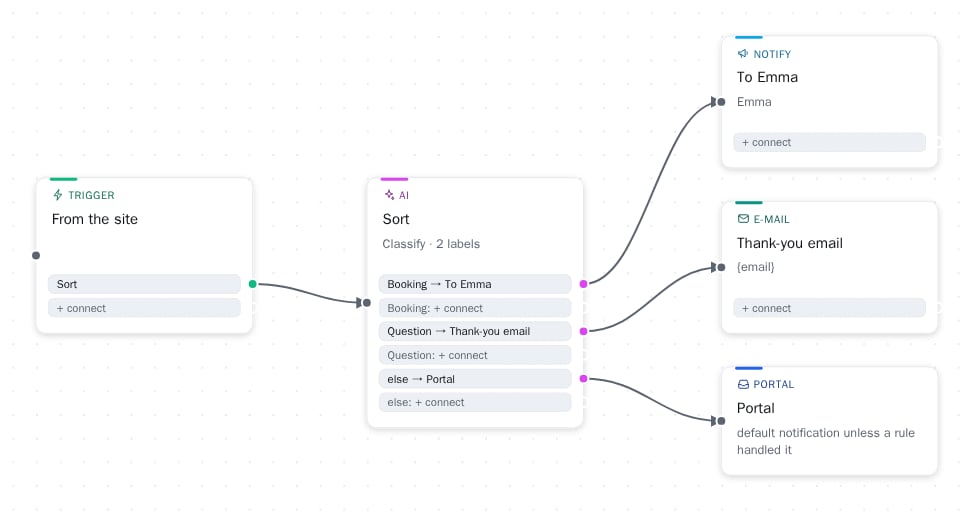
Kollega knows the portal's instructions, sees your workspace, and makes changes from a single sentence: a popup on the pricing page, a Slack notification for every lead, or an entire automation board. We will show you how it works and where its limits lie.
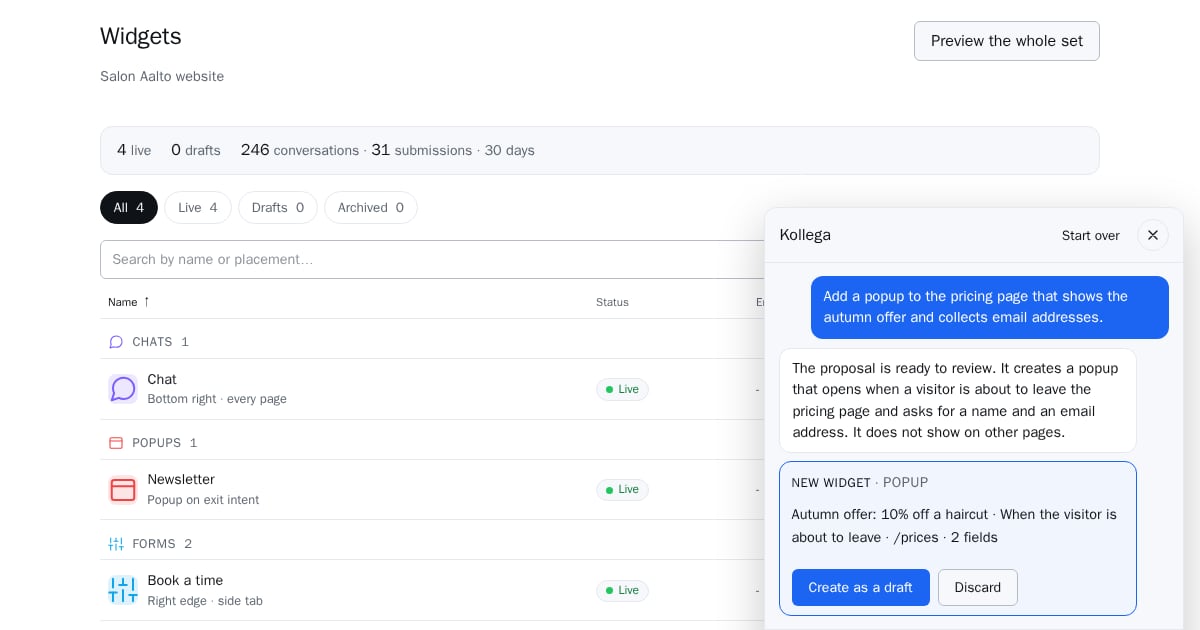
In the bottom right corner of the portal, there is a button that says Kollega. It is the portal helper: it knows every help page, sees which workspace you have opened and what is there, and can make changes on your behalf. In this article, we will explain what it does today, what it does not do, and why we built it this way.
Ask, don’t search
The first and most common use is asking. "How do I make a popup appear only on the pricing page?" "What does it mean that the form is a draft?" "Why is the chat not visible on the site?" Kollega answers based on the instructions and also looks at your workspace: if the installation tag is not confirmed, it will say so and will not guess.
The answers come from the instructions, not general knowledge. When Kollega does not know, it says it does not know.
Say what you want: Kollega makes a draft
Another use is making. A few sentences that work today:
- "Create a popup on the pricing page that appears on exit intent and asks for an email."
- "Add a phone number field to the contact form after the name."
- "Translate the chat greeting into Swedish and English."
- "Create a Christmas campaign from December 20 to 26, during which the regular popup is hidden."
- "Notify me on Slack of every lead and send the contact details to HubSpot."
Each request generates a proposal, not a finished change. Kollega shows what it intends to do (the fields of the form, the texts of the popup, the steps of the automation board), and you press Use or reject it. New widgets are always created as drafts, so nothing appears on your site until you have reviewed it in the editor and turned it on.
This is a conscious choice. An assistant that makes changes directly to the site is fast until it makes a mistake once. An assistant that shows the change first is fast every time.
Example: price calculator in chat
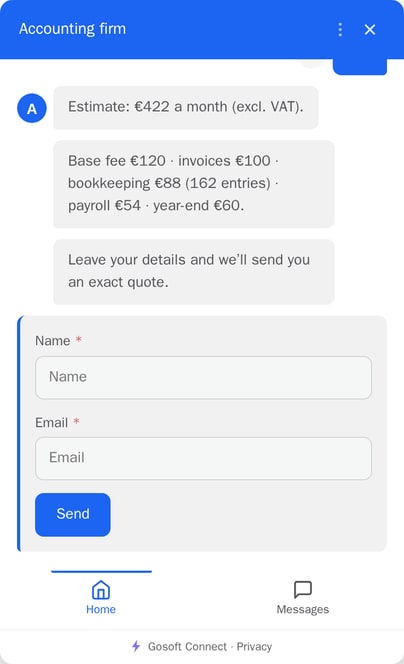
An accounting firm wanted the chat to provide a monthly price estimate. Pricing is not simple: the number of invoices is priced tiered, each invoice generates accounting exports, which are priced in their own tiers, and basic fees are added on top.
The solution was not to let AI calculate in its head: the language model calculates incorrectly often enough that it is not worth promising a price based on it. Instead, Calculate steps were added to the chat flow: formulas that read the visitor's answers and the prices from the workspace's Defaults table, and calculate an estimate the same way every time. Kollega helps in building the flow, but the numbers are calculated by the formula, and the accounting firm changes the prices from a single table without anyone touching the flow.
The visitor answers six questions, sees the estimate with a breakdown, and leaves their contact information. Sales sees the estimate in Submissions, every answer, and the path the visitor took.
Where the limits lie
- Kollega only edits what is allowed: texts of widgets, fields and options, popups, campaigns, and automation boards. It does not touch billing, members, or settings.
- It does not see your visitors' conversations or the content of inquiries, only the structure of the workspace.
- It has a monthly quota that grows with the package. Usage is shown as a percentage, and when the quota is full, Kollega waits until the next month.
- It speaks Finnish, Swedish, and English, the same language as your portal.
What’s next
Next, Kollega will learn to add help centre pages and form fields from scratch, not just edit existing ones, and change workspace settings. The automation board and campaigns are still in beta: they work, but will change based on feedback.
If you want to see Kollega in your own workspace, book a demo.