
The portal
One place to run every conversation: AI, live chat, forms, knowledge and analytics.
One portal for every customer conversation
No spreadsheets and no four separate logins: every conversation, every widget and every number in one workspace.
Answer visitors
Knowledge base
Feed the AI your pages, docs and FAQs. It answers only from what you gave it, and shows you where the gaps are.
Moderation & safety
Every message is safety-checked before and after the AI replies; flagged ones land in a review queue.
Live chat inbox
Step in as a human from the portal on your desktop or your phone, with full conversation history kept.
Build without code
Kollega, the portal helper
Kollega knows the help and sees your workspace. It advises, translates, and builds popups, forms and automation boards from one sentence, showing the change before anything is applied.
Theme & editors
Match your brand down to the corner radius, and build conversation flows, forms and widgets visually.
Automation beta
A visual board: when the site sends an event or the clock strikes, filter, calculate, ask the AI and deliver to Slack, Teams, HubSpot, email or your own system. No code.
Campaigns beta
A named period during which the campaign’s widgets show and the usual ones step aside: the Christmas popup replaces the regular one on 20-26 Dec by itself.
See what works
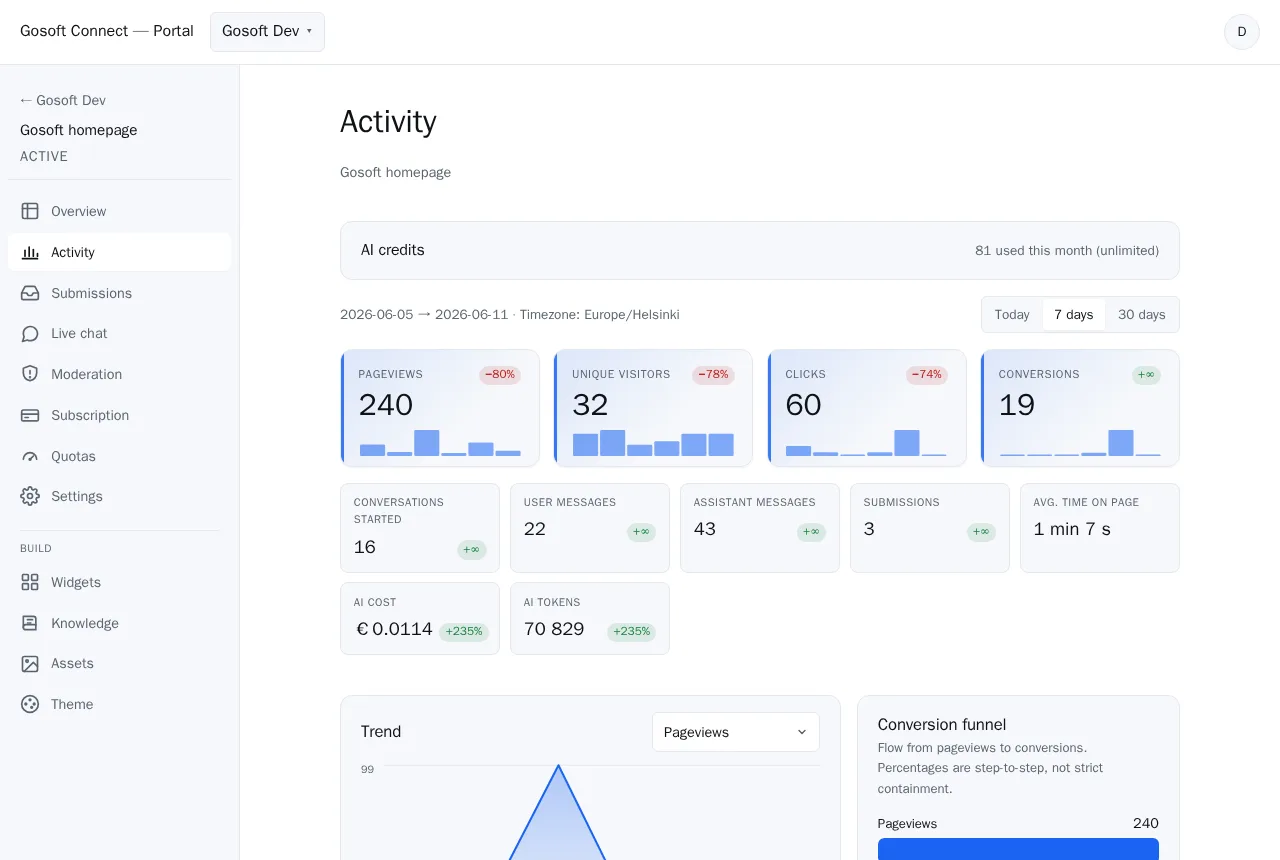
Dashboard & analytics
Visitors, conversations, leads, conversions and AI cost per site, day by day, with week-over-week trends.
Conversations & insights
Every AI and live chat in one browser, auto-tagged: warm leads you’d have missed, unanswered questions, and what your knowledge base is missing.
Shared team tools
Team & workspaces
Multiple sites in one account, role-based access, and single-use invite links for staff and customers.
Asset library
One media library shared by every widget. You see where each file is used.
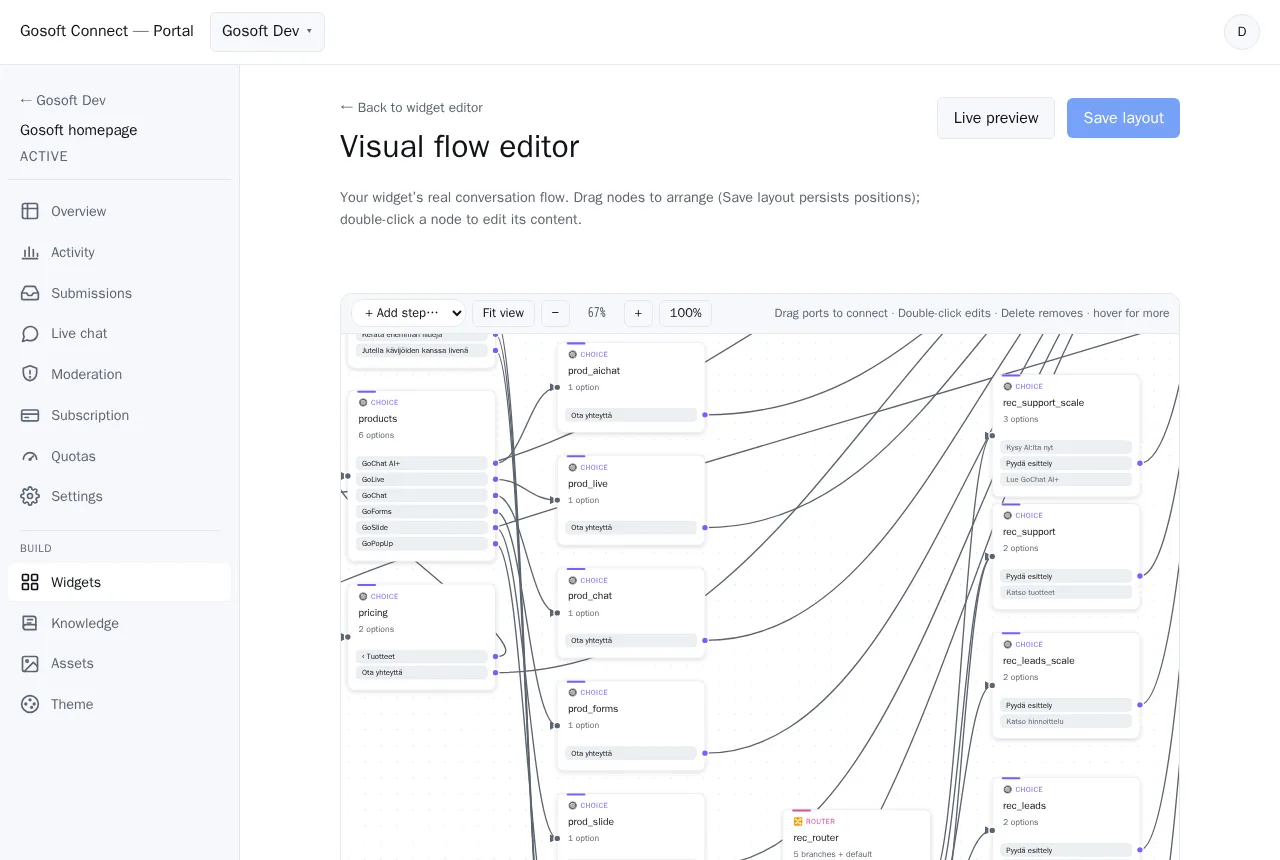
Build it visually
Conversation flows, forms and widgets are nodes on a canvas: drag, wire, preview and publish. No code, and you watch the path before it goes live.
Run it from your pocket
The whole portal works on a phone: a chime and a waiting-visitor badge when someone needs a human, and a reply two taps away.

See the portal in a demo
We show how your team handles conversations, leads and the knowledge base in one workspace.