
Up and running in four steps, no developer needed
It starts with a demo, after which we open your workspace. From there, setup takes four steps.
Install
Once your workspace is open, paste one script tag into your site: WordPress, Shopify, Webflow, or plain HTML. No plugin, no rebuild.
The whole install<script src="https://connect.gosoft.fi/install.js?wid=YOUR-ID" async></script>Configure
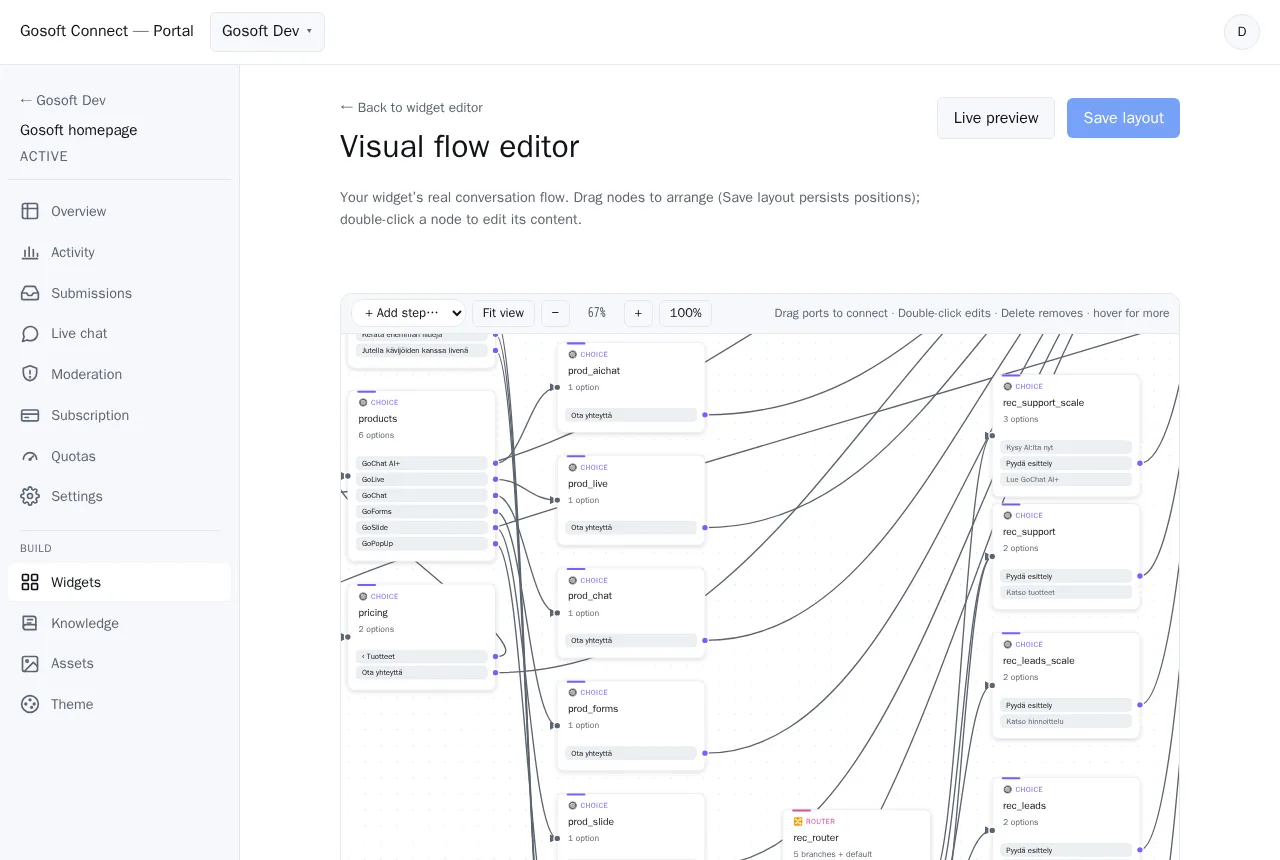
Review the widgets the guided setup proposes and adjust colours and content in the portal. You build conversation flows visually, and changes go live without touching code.
Go live
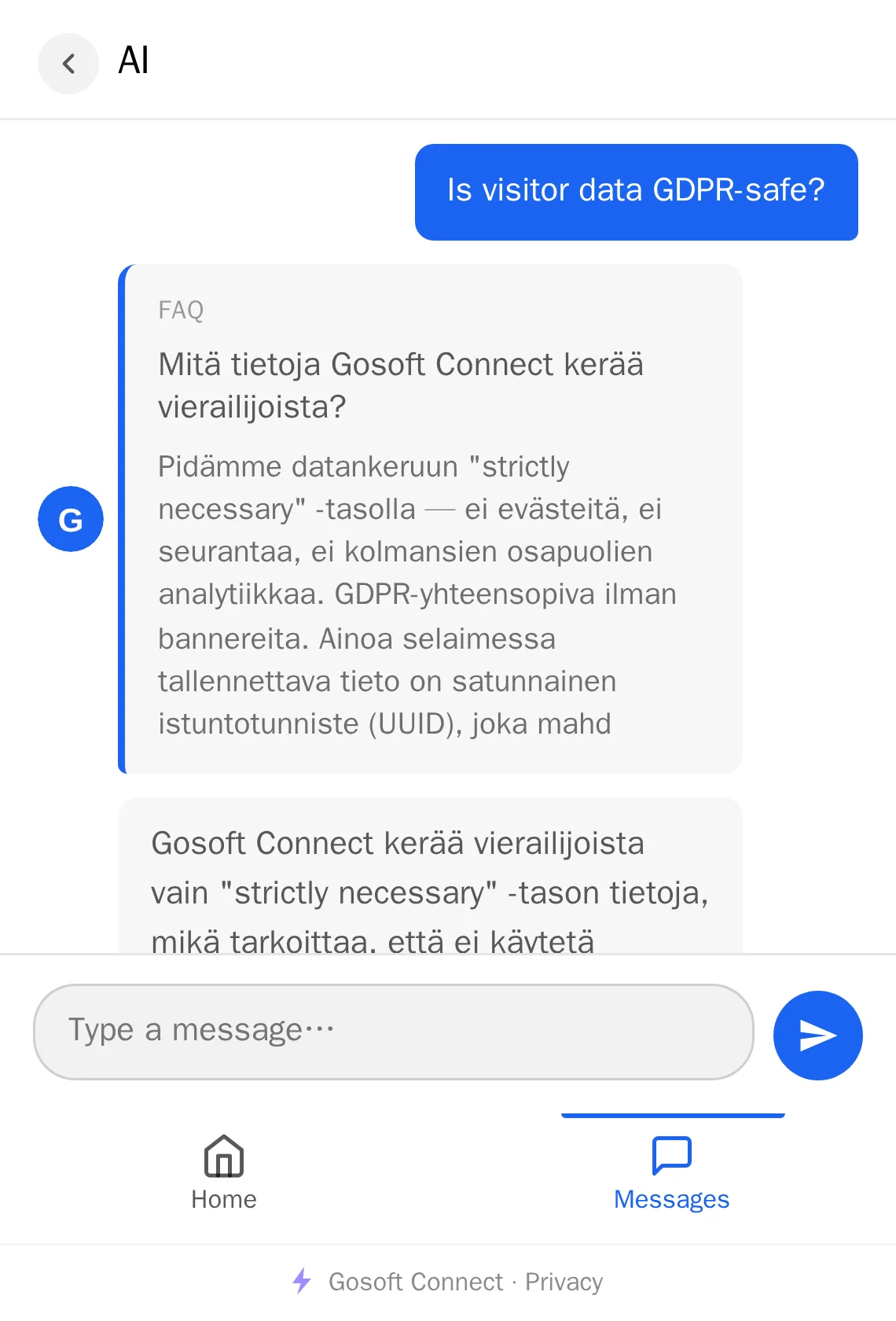
Your AI chat, forms and live chat start working: the AI answers visitors from your own content, and in live chat your team takes over when a person is needed.
Measure
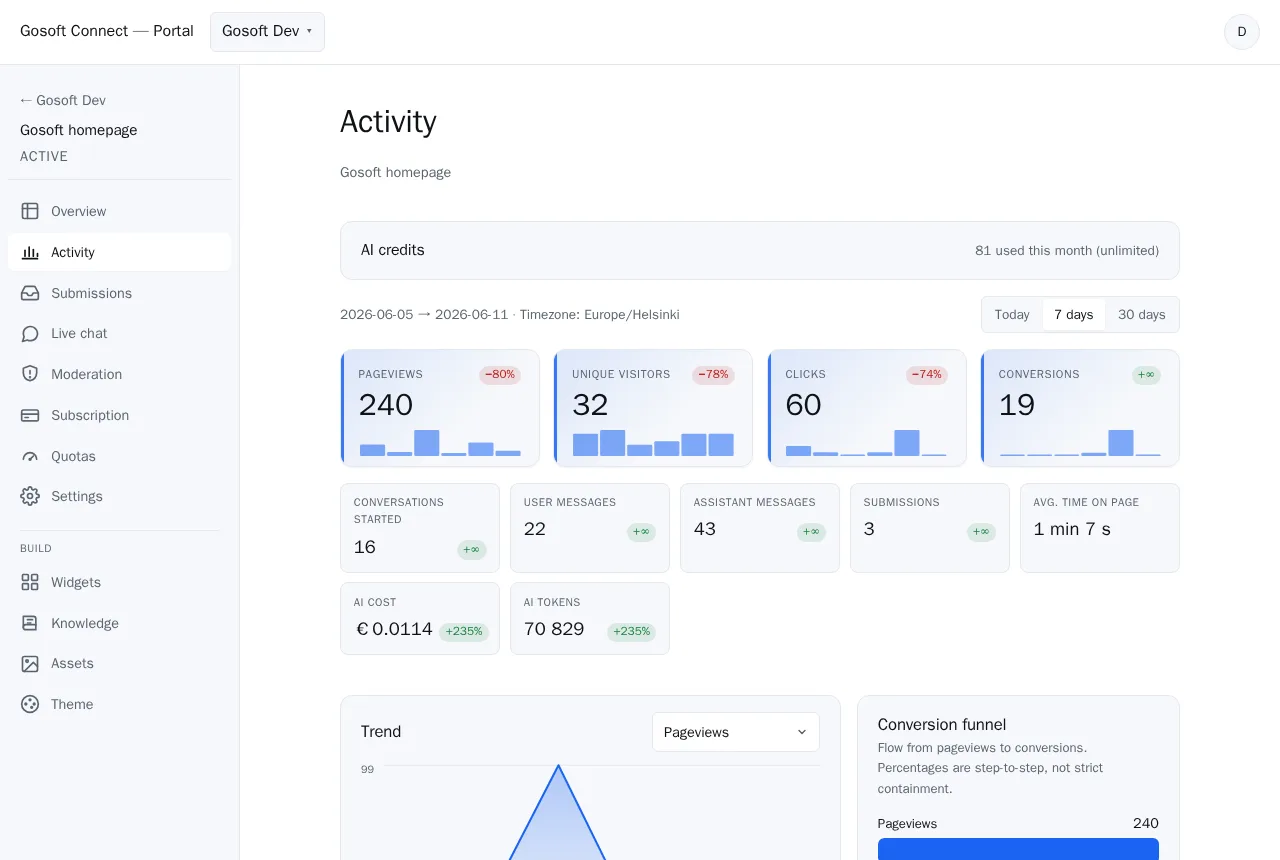
Conversations, leads and conversions land in one dashboard, per site and day by day, so you see exactly what’s working.
See it on your own site
Book a demo and we walk through the steps with your site, then help you get it installed.